Open it on the Chat tab
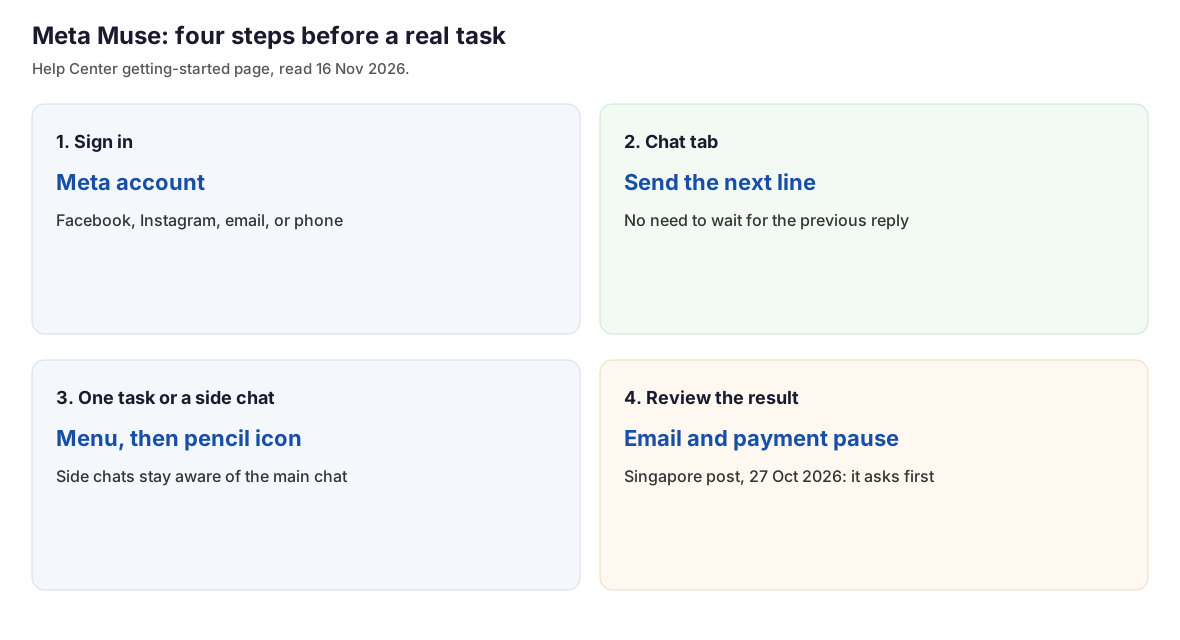
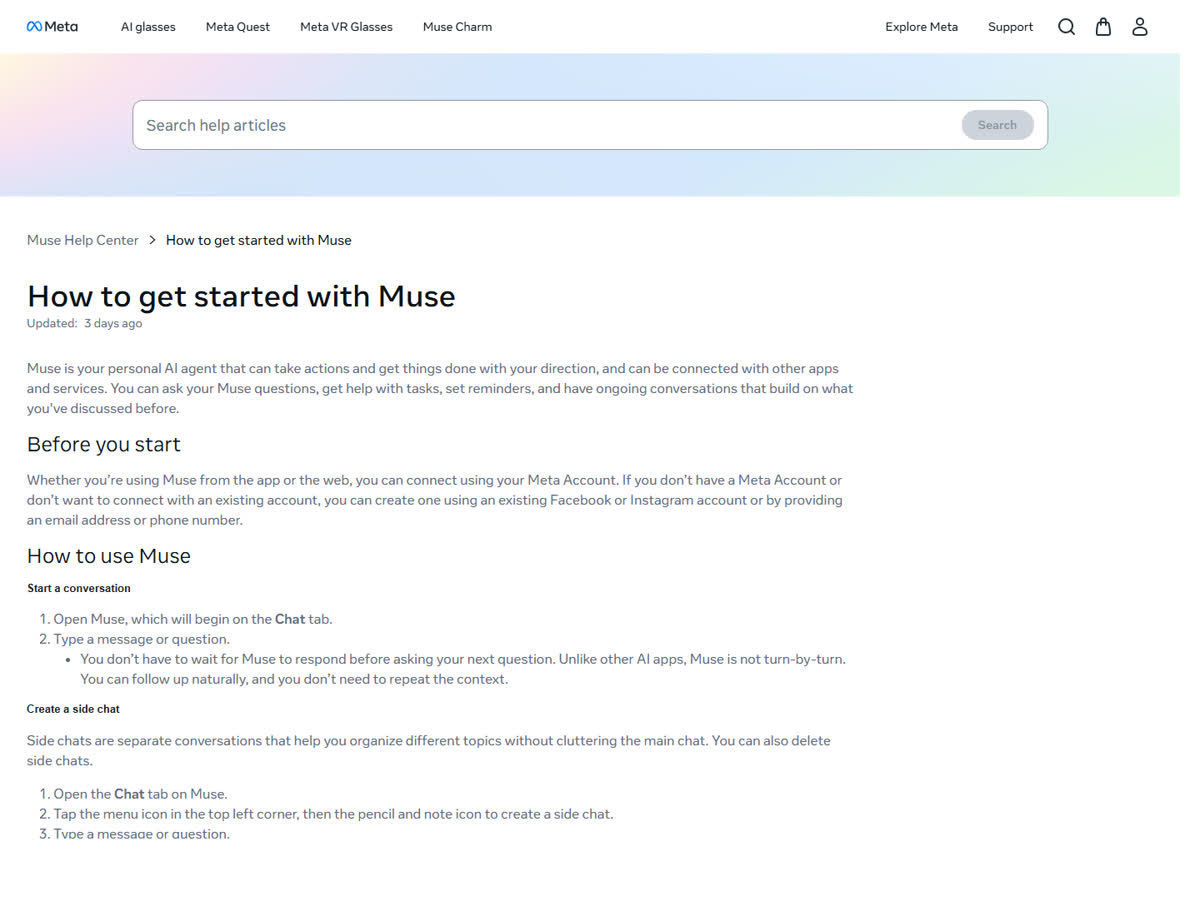
On 16 November 2026 the Meta Help Center page "How to get started with Muse" still showed the stamp "Updated: 3 days ago". The page says Muse opens on the Chat tab. Login is a Meta account: an existing Facebook or Instagram account, or a new account made with an email address or a phone number. The app and the site both use that account.
The thread is not a strict queue. The page says the next question can be sent before the previous reply finishes, and the earlier context does not have to be typed again.
 🔍 View full resolution
 🔍 View full resolution
Open Muse: muse.ai
Getting started: meta.com/help/superintelligence/1331373868832401
Hand off one task, or park a second topic
A task on that page is three beats. Describe the job in concrete terms. Muse may ask a clarifying question, then do the work. Read the result, and ask for a change in the same thread.
A side chat keeps a second topic off the main thread. Open the Chat tab, tap the menu at the top left, then the pencil-and-note icon. The page says a side chat can be deleted. It also says Muse stays aware across the main chat and the side chats. The page does not say that deleting a side chat erases the main chat.
A reminder needs a subject and a time. Muse confirms the details. The page says Muse will aim to send the reminder at that time. The wording is a target. The page does not call it a delivery receipt. Saved reminders are under the Assistant icon, then Upcoming.
A file is uploaded, or Muse is asked to create one. The types named on the page are PDFs, spreadsheets, documents, images, and podcasts. Finished files go to the Library tab and also show up in the conversation.
Voice mode is marked as available in some countries only. It needs microphone permission on the app. The exit phrases on the page are "Goodbye" and "Hang up". Background listening is changed under Settings, then Voice and Avatar.
| Control | What the page says to do | Where it sits |
|---|---|---|
| Chat | Type on the Chat tab. The next line need not wait. | Chat tab |
| Side chat | Top-left menu, then the pencil-and-note icon. Deletable. | Chat tab |
| Task | Describe the job. Review the result. Ask for a change in the same thread. | The conversation |
| Reminder | State the subject and the time. Muse confirms, then aims to send it. | Assistant icon, then Upcoming |
| File | Upload one, or ask for one. The Library keeps the finished file. | Library tab |
| Voice | Some countries. Microphone permission. Exit with Goodbye or Hang up. | Settings, then Voice and Avatar |
The page's own limit example is specific: "Only search my email, not my text messages." A first task that names the source and the stop line matches the help text.
Five posts name the places. Mail and payment wait for a check
The subscriptions page, opened the same day, showed the stamp "Updated: 9 weeks ago". It says Muse and the subscriptions are in limited testing and are not available in every location. Five Meta posts name where Muse was available when each post went up. The 29 September post names the US and Canada in one sentence. The other four each name one place. They do not share one partner list, and they do not share one launch date.
| Post | Place named | Surfaces in that post |
|---|---|---|
| 8 Sep 2026 | United States, rolling out | iOS, Android, muse.ai. The same post also says messaging works in the Muse app or in WhatsApp. |
| 29 Sep 2026 | United States and Canada | The sentence says available in the US and Canada. It does not give a separate Canada launch date. |
| 23 Oct 2026 | Japan, first region outside North America. Date is Japan time. | iOS, Android, muse.ai |
| 27 Oct 2026 | Singapore | iOS, Android, muse.ai |
| 5 Nov 2026 update on the 8 Sep post. The URL folder stays /2026/09/. | Mexico, first country in Latin America, in Spanish | iOS, Android, muse.ai, WhatsApp |
The 27 October 2026 Singapore post describes Muse Secure VM as a dedicated computer in the cloud. It says passwords and payment methods stay out of the agent's view, and that Muse checks with the person before sending an email or making a purchase. The 29 September small-business post says nothing publishes, sends, or spends without approval. Those two sentences are the checks on a first task that touches mail or money.
Connectors are local to the post. The Japan post says integrations with Mercari, Money Forward ME, and Ticket Pia are being added. The Singapore post names Gmail, Google Calendar, and Instagram, plus local brands, and says some connector experiences arrive after launch. The Mexico update says the service arrives with connectors such as Cinepolis, Coppel, Despegar, Kavak, Kueski, Liverpool, Rappi, and Walmart Mexico, and that the full list is in Muse settings. A connector that is not in the account's settings is not a step here.
US post: about.fb.com/news/2026/09/introducing-muse-personal-ai-agent
Canada sentence: about.fb.com/news/2026/09/introducing-muse-small-business
Japan post: about.fb.com/ja/news/2026/10/muse-personal-ai-agent-launches-in-japan
Singapore post: about.fb.com/news/2026/10/muse-is-now-available-in-singapore-the-worlds-first-personal-ai-agent-built-for-everyone
Mexico update: about.fb.com/ltam/news/2026/09/presentamos-muse-el-primer-agente-de-ia-personal-del-mundo-creado-para-todos
The free number is missing. The two paid rows are not
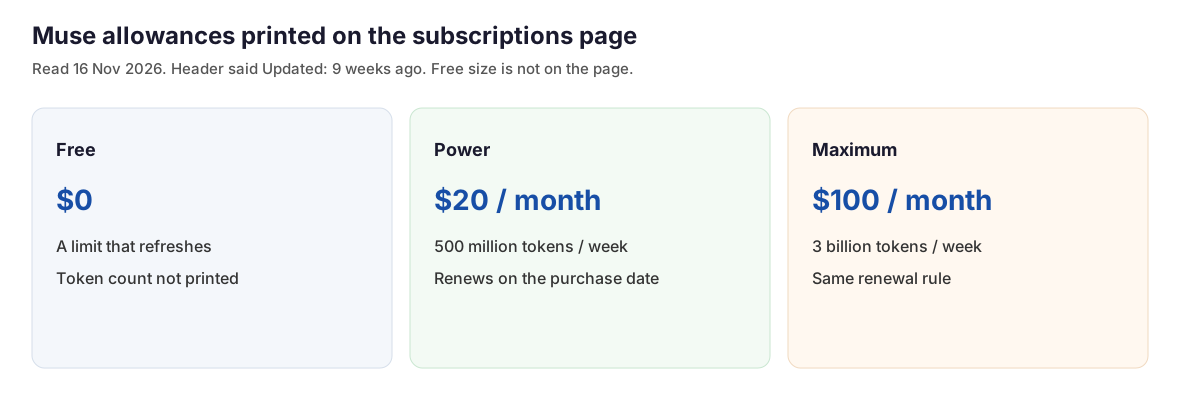
The subscriptions page prints two paid rows and leaves the free row as a usage limit that refreshes. It does not print the free token count. It also does not say that the free refresh is weekly. The weekly figures below belong to the paid rows only. A paid plan renews each month on the original purchase date until it is canceled. Subscribing requires a country where Muse is available, age 18 or the local age of majority, and a Meta account. The page says the benefits on offer are shown during onboarding, before the charge.
| Plan | Price | Allowance printed on the page |
|---|---|---|
| Free | $0 | A usage limit that refreshes. Token count not printed. |
| Power | $20 a month | 500 million Muse tokens a week |
| Maximum | $100 a month | 3 billion Muse tokens a week |
 🔍 View full resolution
The free row is the place to start, because the page withholds the number. The first sessions are the measurement. Wait for a refresh before paying.
Open Muse: muse.ai
After the free limit has already stopped a job, the Power row is the paid allowance: 500 million tokens a week at $20 a month. That week is printed on the paid row only.
Open Muse: muse.ai
Maximum is the larger weekly allowance: 3 billion tokens at $100 a month.
Open Muse: muse.ai
Plans: meta.com/help/subscriptions/1021145227643680
Choose the free limit if no paid week has been measured yet. The missing number means the first sessions are the measurement.
Choose Power if the free limit already stopped a task, and the Power row of 500 million tokens a week at $20 a month is the allowance that fits.
Choose Maximum if the work needs the 3 billion weekly allowance at $100 a month.
Stay on the help page if the account's country is not named in the posts above. The subscriptions page says Muse is not in every location. That page does not describe a workaround.
muse.ai is the personal agent. The API model id muse-ember-1.0 is a separate product. Specs for that id: miniaitools.com/news/meta-muse-ember-specs-pricing-guide.